


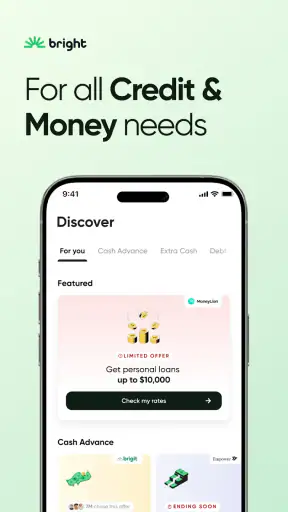

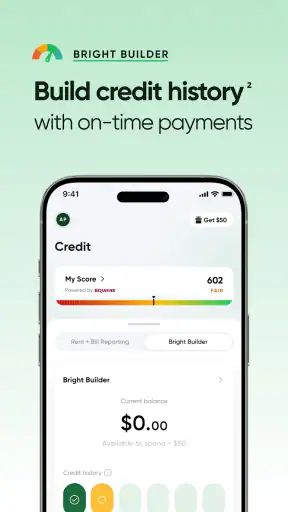
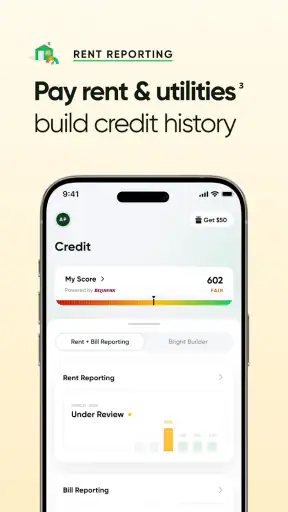
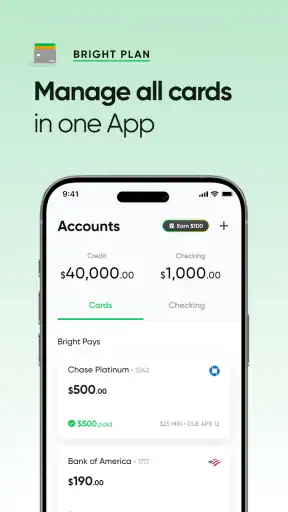
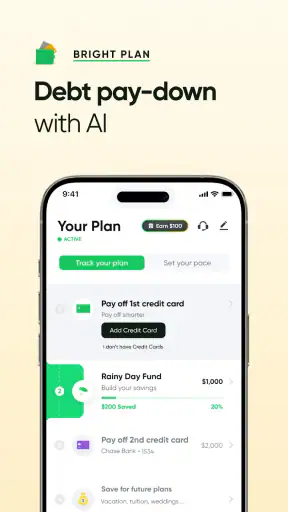
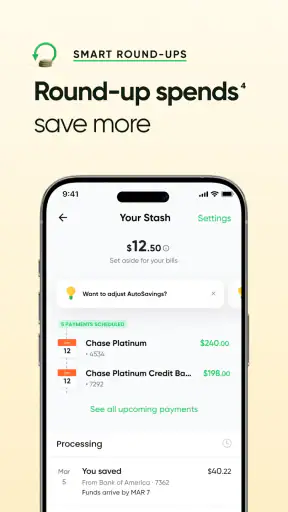
I approached Bright: Loans & Credit Builder as a practical finance app rather than a quick-fix borrowing tool. Its purpose is to help people understand possible borrowing options, work toward building credit, and explore loans or credit cards from one place. That combination makes it more relevant to someone trying to organize their next financial step than to a person simply looking for a basic spending tracker.
My first impression was that Bright is designed around action. Instead of stopping at balances and charts, it points the user toward credit-related goals. That can be useful when you already know what you want to improve, but it also means you need to read each screen carefully and avoid treating every suggestion as automatically suitable. Finance apps deserve a slower, more deliberate approach than entertainment apps, especially when borrowing is involved.
How Bright feels during everyday use
Getting started without rushing the decision
The app is free to download, and Bright Money is the developer behind it. It is listed for Everyone, which makes the presentation approachable, but that age label should not be confused with a recommendation for every financial situation. A young or inexperienced user may still need help understanding credit, repayment obligations, and the difference between exploring an option and accepting one.
The most useful way to begin is to treat the first session as an assessment period. I would review the information the app asks for, check what it is offering, and then leave enough time to compare those options with alternatives outside the app. That habit matters because a convenient interface can make a financial decision feel simpler than it really is.
Bright’s central appeal is the connection between credit-building guidance and access to borrowing products. For someone who has limited credit history, that focus may feel more targeted than a conventional banking app. A regular bank app usually shows accounts you already have, while a general budgeting app concentrates on spending patterns. Bright sits closer to a guided credit journey, which is useful when your main question is, “What can I do next to improve my position?”
Where the app can feel fast
Perceived speed is strongest when I am moving through a focused task: opening the app, checking the current credit-related guidance, or reviewing a product path that is already available. A purpose-built finance screen generally feels more direct than searching through several unrelated banking menus. That focused design is one reason the app has attracted a large audience, with over a million installs and an average rating of 4.6 from around 165 thousand ratings.
That said, speed should not be judged only by how quickly a page appears. Financial information may require checking, matching, or review before the app can show something meaningful. If a result takes longer than a simple balance screen, I would see that as part of the nature of the task rather than an immediate sign that the app is unstable.
The app’s current version is 1.61.1, and it supports devices running Android 8.0 or later. Those details matter if you are using an older phone. A compatible operating system does not guarantee that every device will feel equally quick, because storage space, memory, background activity, and the age of the hardware can all affect how smoothly a finance app opens and changes screens.
What happens during heavier use
Bright is not the kind of app that should demand constant attention from your phone. Most people will open it for short sessions: checking available guidance, reviewing a credit-building task, or considering a loan or card route. In those moments, the workload is likely to feel modest compared with video, gaming, or navigation apps. I would still avoid judging performance while many other apps are updating in the background, particularly on an older device with limited free storage.
Heavier moments are more likely to come from the workflow than from graphics or media. A user may move between several financial screens, review terms, return to an earlier step, and wait for information to refresh. That is where patience becomes important. Repeatedly tapping a button because a financial page has not changed can create duplicate actions or confusion. My practical rule is to tap once, wait, and confirm the next screen before trying again.
A useful everyday scenario is someone preparing for a move. They may want to understand whether improving credit could help with a later application, while also checking whether a loan or card would fit their budget. Bright can serve as a starting point for organizing those questions, but I would use a separate note or spreadsheet to record the total repayment cost, monthly commitment, and the reason for borrowing. The app can guide the process; it should not replace that personal calculation.
Another realistic use case is a person rebuilding after missed payments. The credit-building focus may make Bright more relevant than a simple cash-flow app, because the user is looking for a forward plan rather than only a record of past spending. Even then, progress is not something I would expect to change instantly. Credit-related improvements generally require consistent financial behavior, so the app is better viewed as a companion for a longer process than as an immediate repair button.
Reliability and the recovery habits I would use
For a finance app, reliability means more than staying open. I also want the information to be understandable, the next action to be clear, and the app to recover gracefully if a connection or session is interrupted. Bright’s focused purpose helps reduce the clutter found in broad banking platforms, but the consequences of misunderstanding a screen are still more serious than in an ordinary productivity app.
If a page appears stuck, I would first check whether the phone has a stable internet connection, then wait before closing the app. After reopening it, I would verify the last completed step rather than assuming that an unfinished action failed. This is especially important when an application, payment-related action, or product review is involved. Keeping a record of what I submitted and when I submitted it is a small habit that makes recovery much less stressful.
I also recommend taking screenshots of important summaries for your own records, while protecting personal information before sharing them. That does not make the app more reliable by itself, but it gives you a reference if you need to retrace your choices. I would never rely on memory alone when comparing financial offers or tracking a credit-building routine.
The app has around fifteen thousand written reviews, which gives a prospective user a substantial pool of public experiences to scan. I would read recent comments for patterns rather than treating any single review as decisive. Look for recurring complaints about clarity, access, or the handling of a particular workflow, and compare those observations with your own needs. A high average rating is encouraging, but finance products still deserve individual scrutiny.
Device limits and practical maintenance
Because Bright works on Android 8.0 and newer, owners of very old phones should check their operating system before planning around it. On a supported phone, the simplest performance improvements are ordinary ones: keep enough free storage, install system updates when practical, close apps that are consuming memory, and restart the device if several applications have been running for a long time.
I would also avoid using a crowded or unreliable network for an important financial step. A finance app can appear slow when the real problem is the connection, and repeatedly switching between mobile data and Wi-Fi can make it harder to know whether a submission completed. If the app returns to an earlier screen, I would look for a confirmation or status indicator before starting again.
Bright should not be chosen by someone who needs an app that works mainly offline. Its value depends on current financial information and guided actions, so the best experience comes when the phone can communicate normally. It is also not the ideal choice if your main goal is detailed household budgeting, envelope planning, bill calendars, or investment portfolio analysis. A dedicated budgeting or banking app may be more suitable for those jobs.
Three ways to use it more intelligently
First, separate discovery from commitment. Use Bright to learn what credit or borrowing paths may be relevant, then pause and compare the full cost and obligations with your existing bank or another trusted source. This avoids confusing a convenient recommendation with the best available decision.
Second, create a small personal checklist before accepting anything: why you need the money, how much you can repay each month, what happens if your income changes, and whether the product supports your longer-term credit goal. This is particularly valuable because an app that combines loans, cards, and credit-building guidance can present several tempting directions at once.
Third, use the app as a progress companion rather than a score-watching ritual. Checking repeatedly will not improve your finances. A better routine is to review the guidance at a sensible interval, complete only actions you understand, and keep your own record of commitments. That approach turns Bright into a tool for decisions instead of another source of financial anxiety.
Who will benefit most, and who should look elsewhere
I see the strongest fit for people who want credit-focused guidance in addition to ordinary financial access. Someone with a thin credit history, someone trying to understand possible borrowing routes, or someone who prefers a guided mobile experience may find the app easier to approach than a collection of separate services.
It is less suitable for users who already have a trusted bank relationship and only need account management. In that case, adding another finance app may create more places to check without solving a real problem. I would also be cautious if you are looking for guaranteed approval, instant credit improvement, or a single tool that handles every part of personal finance. Bright’s emphasis is narrower and more purposeful than that.
The free price makes trying the app less intimidating, but “free” should not be interpreted as “without financial consequences.” Any borrowing or credit product must be judged by its terms and by your ability to repay. The app can make the exploration process more convenient; it cannot remove the responsibility attached to the decision.
My performance verdict
In performance terms, Bright is best understood as a focused finance utility. It should feel relatively light during short checks, while more involved sessions may naturally include waiting as information or applications are processed. The app’s usefulness depends less on flashy speed than on whether it keeps the credit journey organized and understandable.
I like the way its purpose differs from a standard bank dashboard: it gives credit improvement and borrowing options a central place instead of burying them among everyday transactions. That makes it practical for a specific audience. I also appreciate that the app can be used as a starting point for a structured financial plan, provided I remain willing to verify details and compare alternatives.
My main reservation is the risk of moving too quickly. A smooth interface can encourage users to follow a suggested path without fully considering repayment, long-term suitability, or whether they need another product at all. The best experience comes from slowing down at exactly those moments when the app makes the next step feel easy.
Bright Money has built an accessible credit-oriented app with a solid public reception, and its free availability lowers the barrier to exploring it. I would recommend it to a friend who wants help organizing credit-related goals and understands that the app is a guide, not a promise. I would not recommend relying on it alone for detailed budgeting, offline access, or major financial decisions. Used thoughtfully, Bright: Loans & Credit Builder can be a useful companion for the next stage of your credit journey, especially when paired with comparison, patience, and your own careful calculations.


